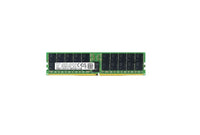
In today’s fast-paced digital world, the performance of your computing system can significantly impact productivity and user experience. With advancements in technology, upgrading to a more efficient storage solution like the Micron 7450 Pro SSD can enhance system speed and efficiency. This comprehensive guide explores the features, benefits, and installation process of this advanced solid-state drive, helping users make an informed decision.
Key Features of Micron 7450 Pro SSD
The Micron 7450 Pro SSD is designed to meet the demands of modern computing environments, offering several key features:
- High Performance: With read speeds up to 6,600 MB/s and write speeds up to 5,000 MB/s, it ensures quick data access and smooth multitasking.
- Advanced Security: It includes AES 256-bit encryption, protecting sensitive data from unauthorized access.
- Energy Efficiency: The drive is optimized for low power consumption, extending battery life in portable devices.
- Durability: Built with high endurance NAND technology, it supports extended use with minimal degradation.
- Compatibility: Available in multiple form factors, it fits a wide range of systems, from desktops to laptops.
Benefits of Upgrading to Micron 7450 Pro SSD
Upgrading to a Micron 7450 Pro SSD offers numerous benefits that go beyond just speed:
Enhanced User Experience
The high-speed performance of the Micron 7450 Pro SSD facilitates quicker boot times, faster application launches, and seamless file transfers. This results in a more responsive computing experience, enhancing productivity and reducing wait times.
Improved System Reliability
Traditional hard drives are susceptible to mechanical failures. In contrast, solid-state drives like the Micron 7450 Pro SSD, with no moving parts, offer enhanced reliability and a longer lifespan. This makes it a valuable upgrade for users looking to avoid data loss and system crashes.
Cost-Effective Solution
Although the initial investment in an SSD may be higher than traditional hard drives, the long-term benefits such as reduced maintenance costs, lower energy consumption, and increased system longevity make it a cost-effective solution for businesses and individual users alike.
Installation and Setup Guide
Installing the Micron 7450 Pro SSD is a straightforward process, even for those with minimal technical expertise. Here is a step-by-step guide to ensure a successful setup:
Preparation
- Back up important data to avoid any data loss during the installation.
- Ensure compatibility by checking the system’s interface and form factor requirements.
- Gather necessary tools, such as a screwdriver and anti-static wrist strap, to prevent static discharge damage.
Installation Process
- Turn off the computer and disconnect it from any power sources.
- Open the computer case and locate the storage bay or slot.
- Carefully insert the SSD into the appropriate slot, ensuring a secure connection.
- Replace any screws or brackets to secure the drive in place.
- Close the computer case and reconnect all cables and power sources.
Software Configuration
- Power on the computer and enter the BIOS/UEFI to ensure the SSD is recognized.
- Format the drive and install the operating system or migrate existing data as needed.
- Install any necessary drivers or firmware updates to optimize performance.
Conclusion
The Micron 7450 Pro SSD represents a significant upgrade for any computing system, delivering unparalleled performance and reliability. By following the outlined steps for installation and configuration, users can maximize the benefits of this advanced storage solution. For those seeking to enhance their system’s capabilities, investing in a Micron 7450 Pro SSD stands as a prudent and rewarding choice.